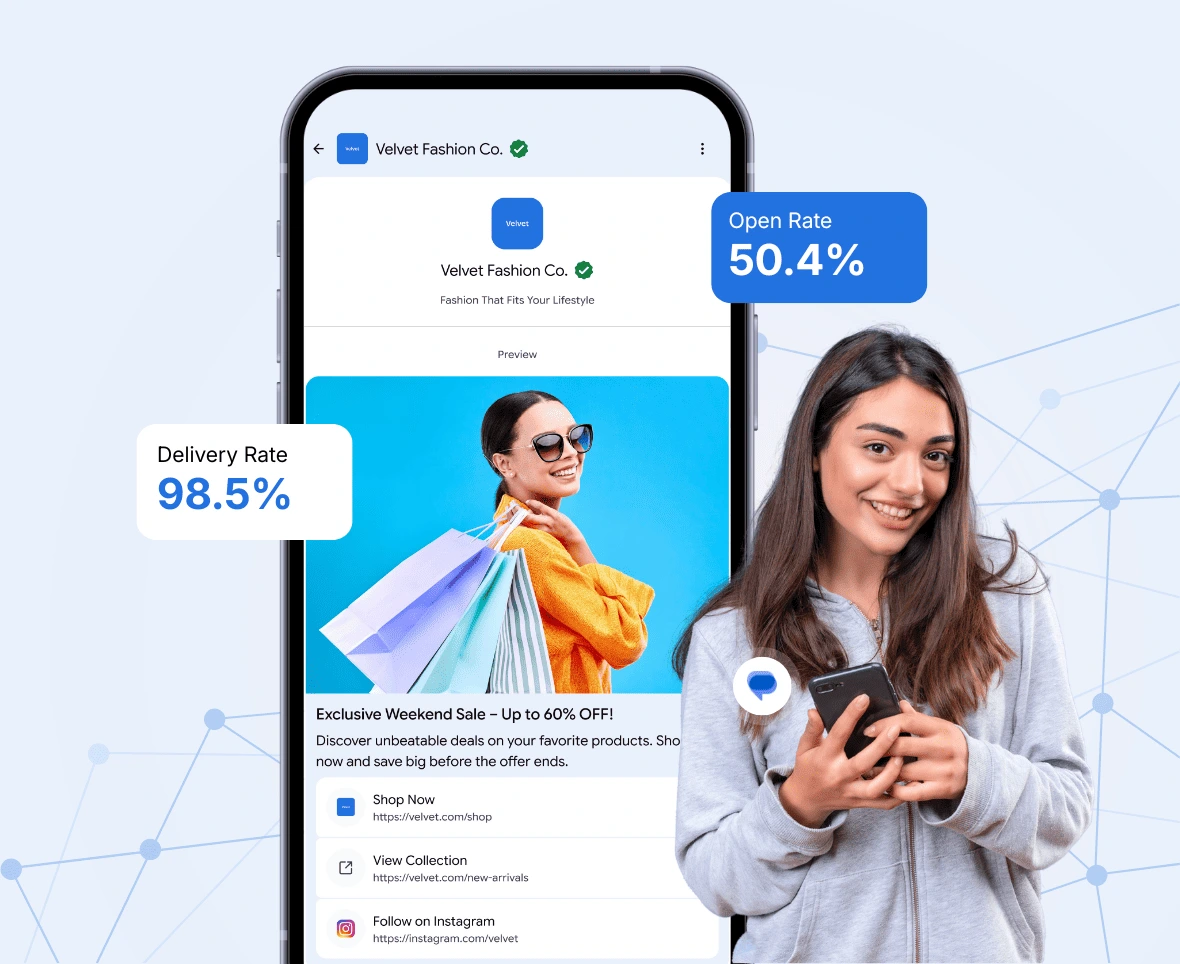
Send Rich Media Messages to Millions via RCS at just 1/6th of WhatsApp's Cost

Reach, Engage & Nurture Customers by Sending Images, Videos and Carousel Messages directly to their Phone's Inbox with CTAs that Drive Clicks, Replies and Purchases.

check icon  Verified Sender
check icon  Brand Name & Logo Visible
check icon  50%+ Open Rate
check icon  Customer Action Tracking
Business sending RCS rich media messages to customers

Proudly Partnered with Google & Jio

Jio Business Messaging Partner Logo
Google RBM Partner Logo

Don't Let High media Messaging Costs Stop You from Engaging Your Customers

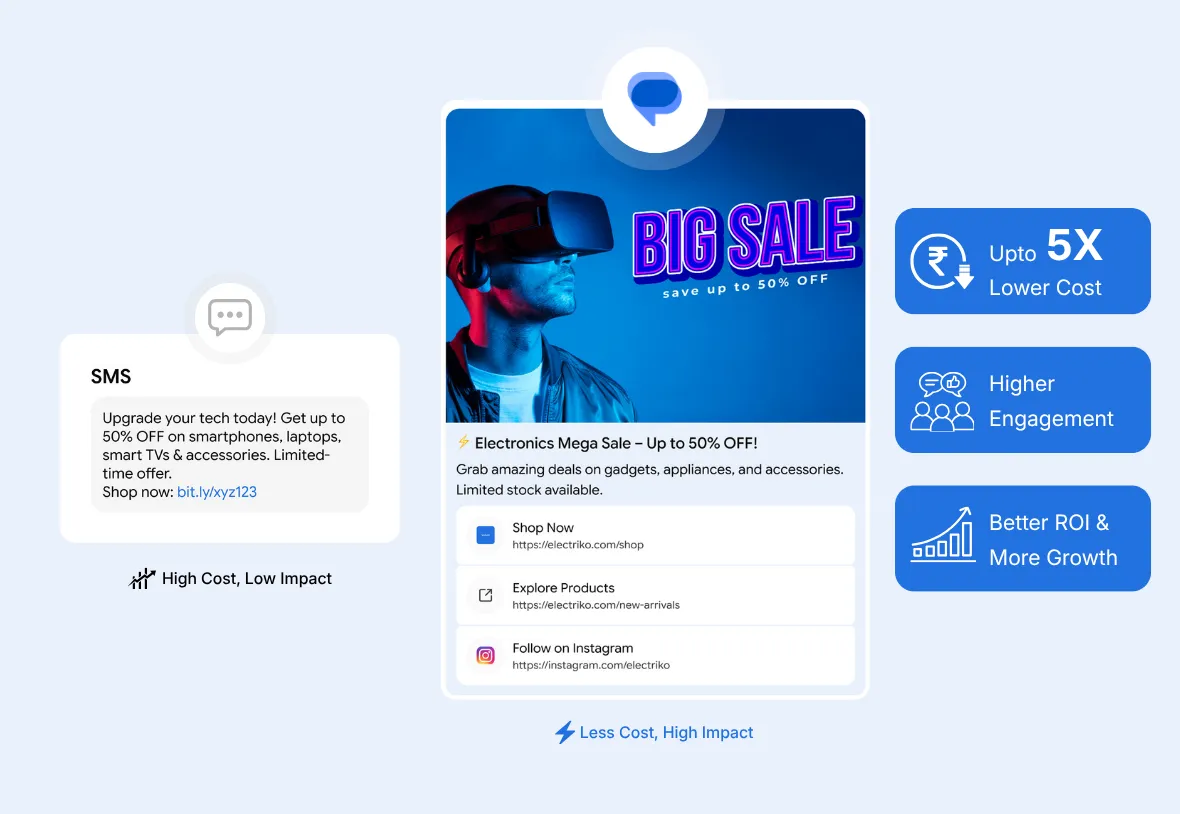
SMS lacks rich media and WhatsApp costs too much. Using Google RCS is a smarter way to keep your customers engaged without losing opportunities.

Clients who have increase their engagement rate by 30% using WhatsRCS

Adani Group uses WhatsRCS for RCS Messaging
HPCL uses WhatsRCS for RCS Messaging
TVS uses WhatsRCS for RCS Messaging
Hyundai uses WhatsRCS for RCS Messaging
Hero uses WhatsRCS for RCS Messaging

3 Types of RCS Messages for your business

RCS Promotional Message Example

Promotional

Promotional Messages

Boost sales and brand awareness by delivering visually rich messages with carousels, images and action buttons directly to your customers inbox.

RCS Feature Available  Flash Sales

RCS Feature Available  Product Launches

RCS Feature Available  Seasonal Offers

RCS Feature Available  Abandoned Cart Reminders

RCS Promotional Message Example
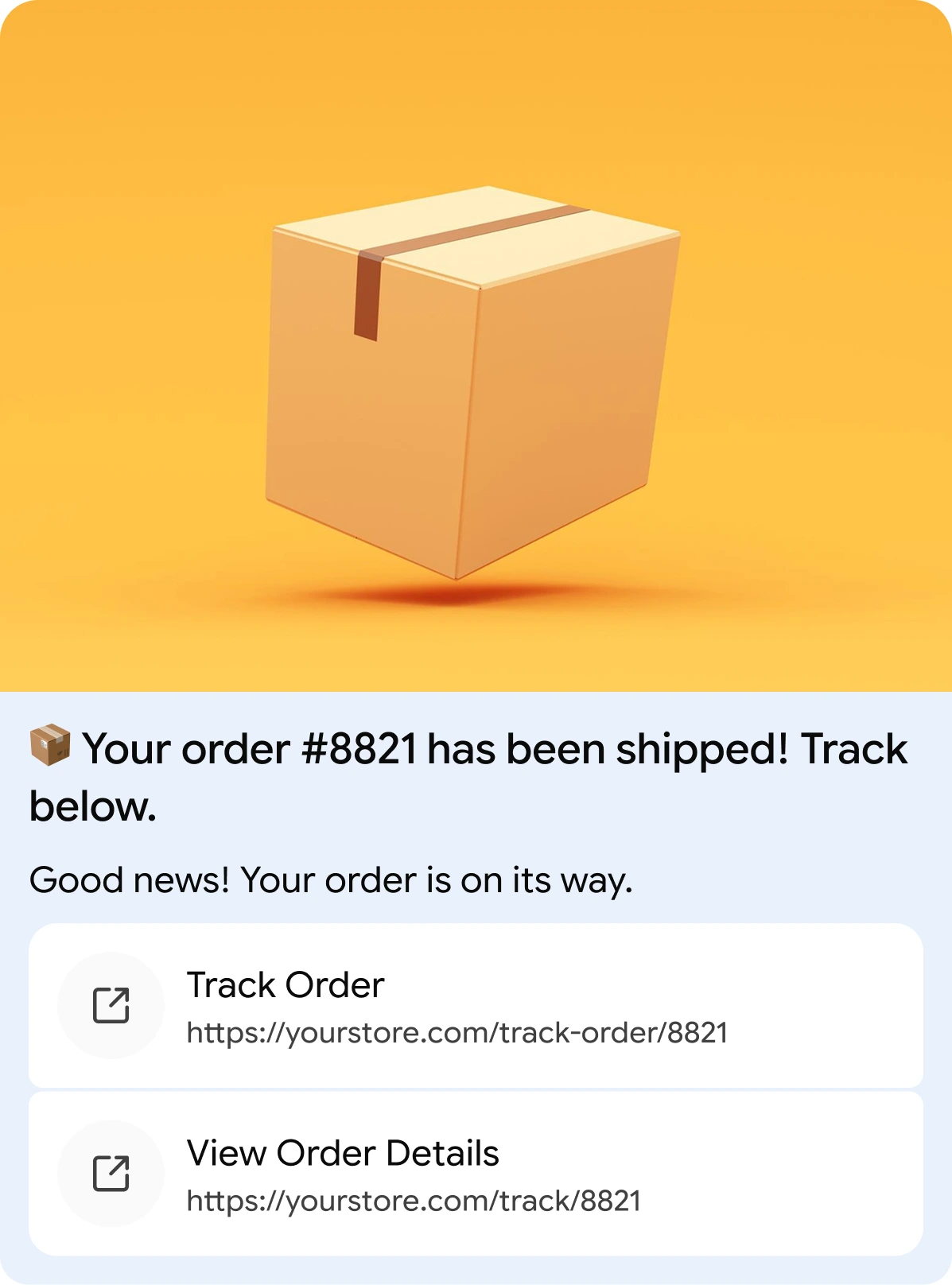
RCS Transactional Message Example

Transactional

Transactional Messages

Keep your customers informed and confident with real-time verified updates and interactive reply buttons that make every interaction seamless and trustworthy.

RCS Feature Available  Order Confirmations

RCS Feature Available  Delivery Tracking

RCS Feature Available  Appointment Reminders

RCS Feature Available  Payment Receipts

RCS Transactional Message Example
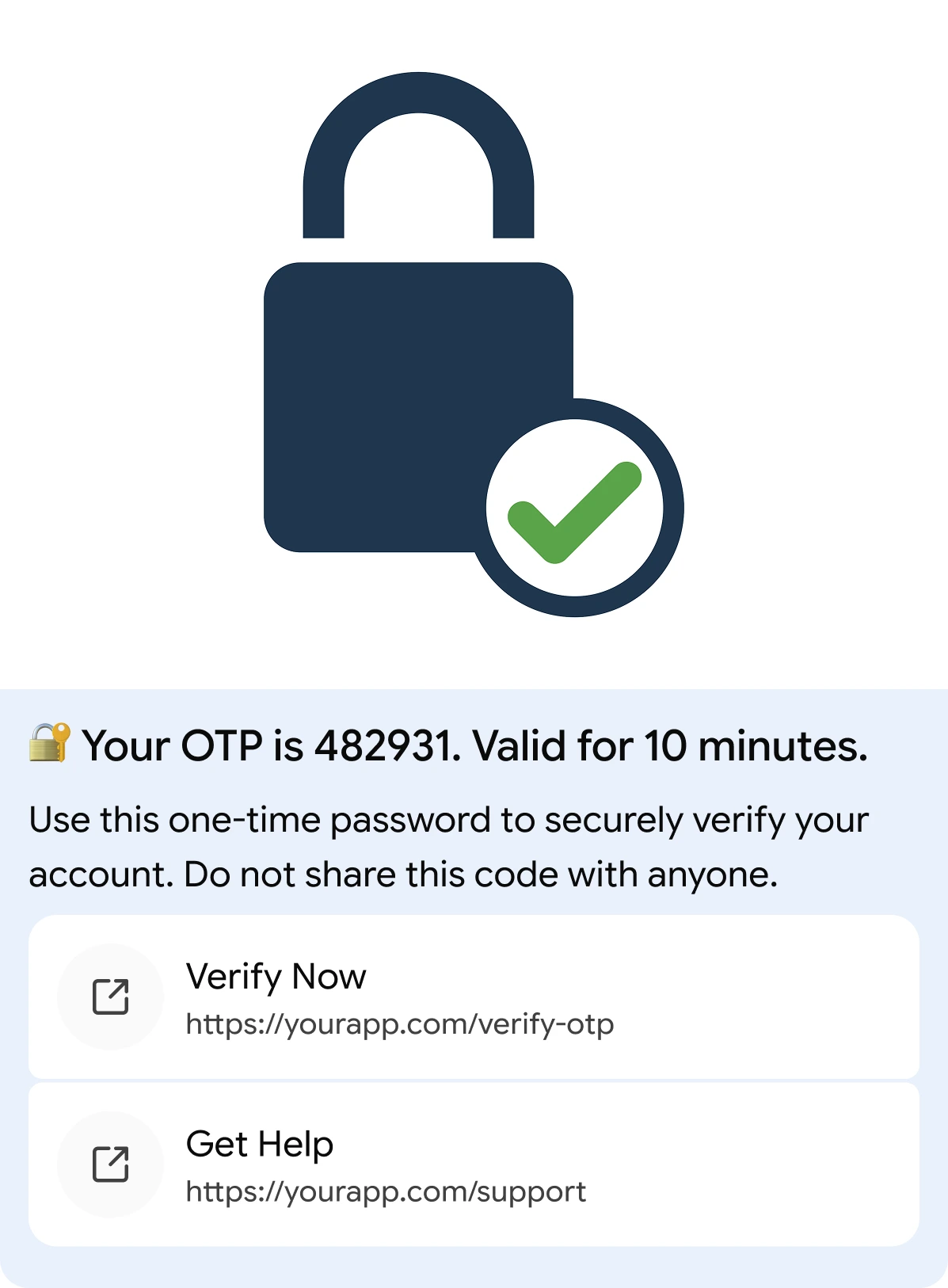
RCS OTP Message Example

OTP & AUT.

OTP Messages

Strengthen security and simplify verification with sensitive passwords delivered through a verified sender with a one-tap Copy Code button for instant authentication.

RCS Feature Available  Account Logins

RCS Feature Available  Two-Factor Authentication

RCS Feature Available  Password Resets

RCS Feature Available  Transaction Approvals

RCS OTP Message Example

3 Powerful RCS Message Formats to Engage Your Customers

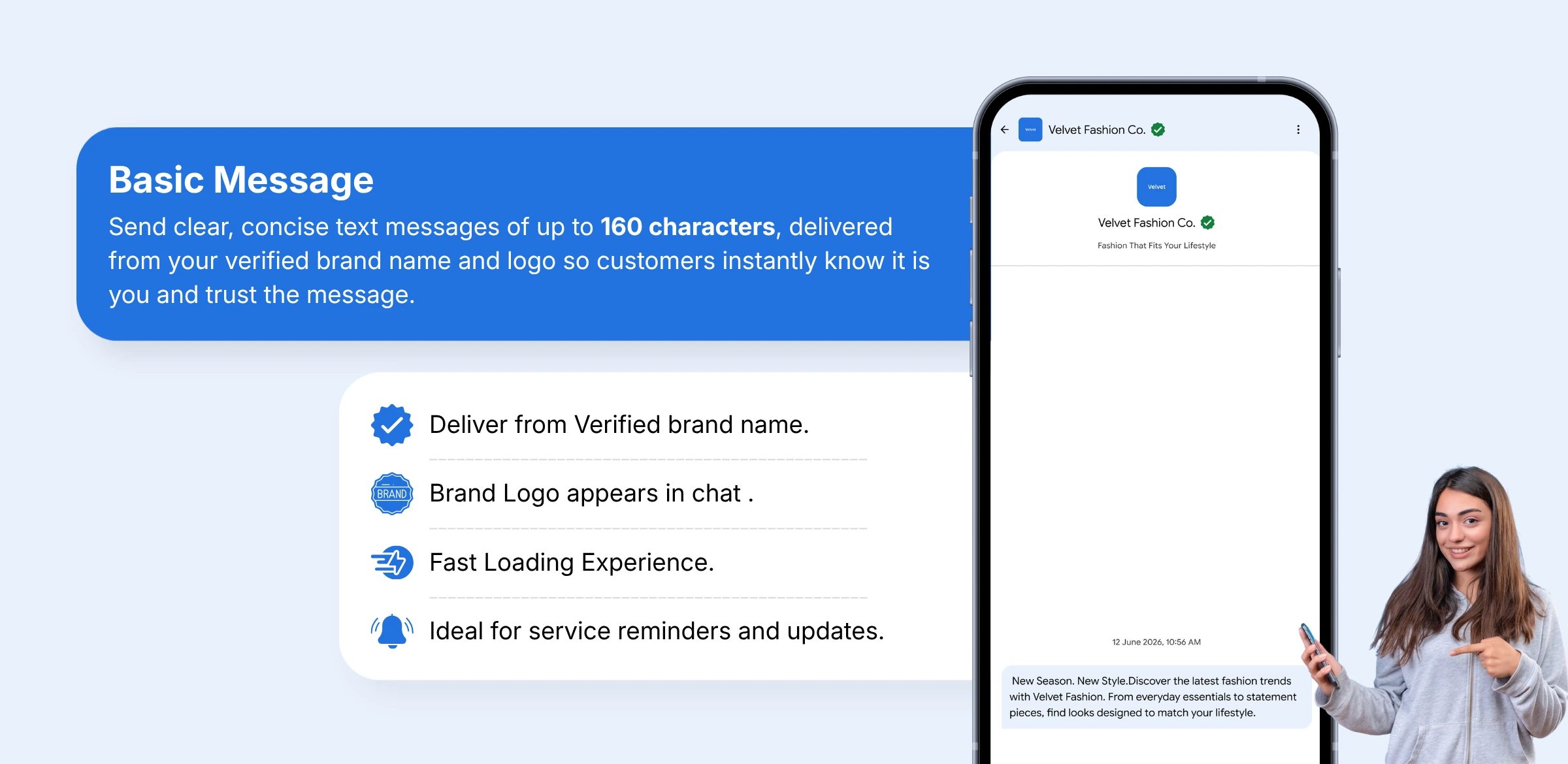
Basic Message

Simple & Quick Updates

polygon icon

Rich Card

Image, Videos & Buttons

polygon icon

Carousel

Swipeable Product Card

polygon icon
basic img

3 Steps to Get Ready for Sending RCS Messages via WhatsRCS

Fill Contact Form to Start RCS Onboarding
Step - 1

Fill Contact Form

Fill out the contact form and our team will reach out to you within 24 hours.

Share Business Details for RCS Registration
Step - 2

Share Business Details

Our team will reach out to gather the relevant details required for registration.

Google RCS Agent Registration Step
Step - 3

Google Agent Registration

We'll Register your Messaging Agent with Google so that you can start sending RCS messages.

Send RCS Message in minutes after registering your Assistant via WhatsRCS

Step - 1

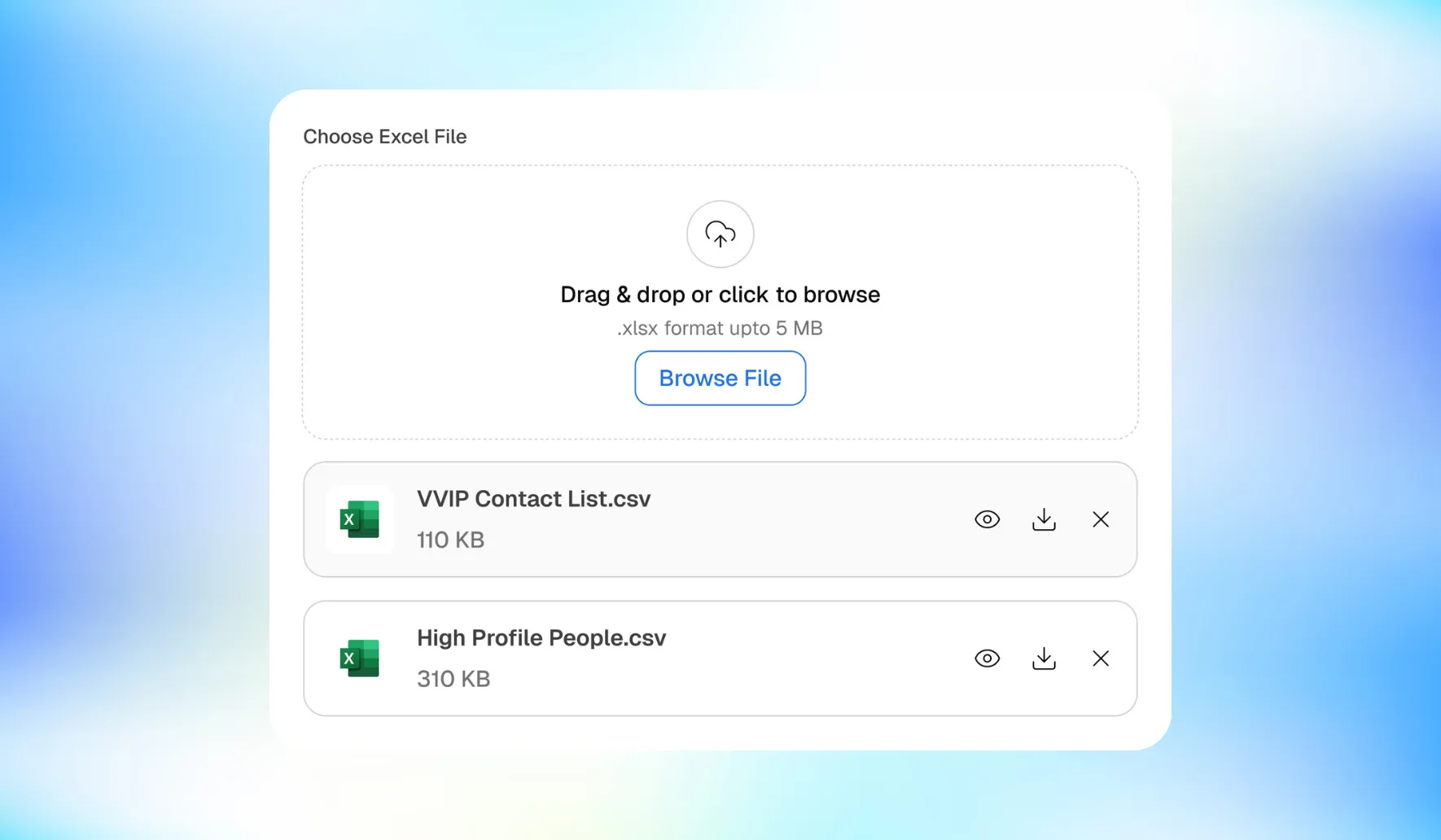
Upload Audience

Upload your customer database and create targeted audience segments. Supports CSV and API integrations with your existing CRM.

RCS Feature Available  CSV, XLS and API import

RCS Feature Available  Automatic deduplication

RCS Feature Available  Smart audience segmentation

Upload Customer Audience List on WhatsRCS
Create RCS Campaign on WhatsRCS Platform
Step - 2

Start Campaign

Start your campaign and select the contact list you want to message. Either choose from the existing templates or create a new message template

RCS Feature Available  Stored Templates

RCS Feature Available  New Template Creation

RCS Feature Available  Audience List Selection

Step - 3

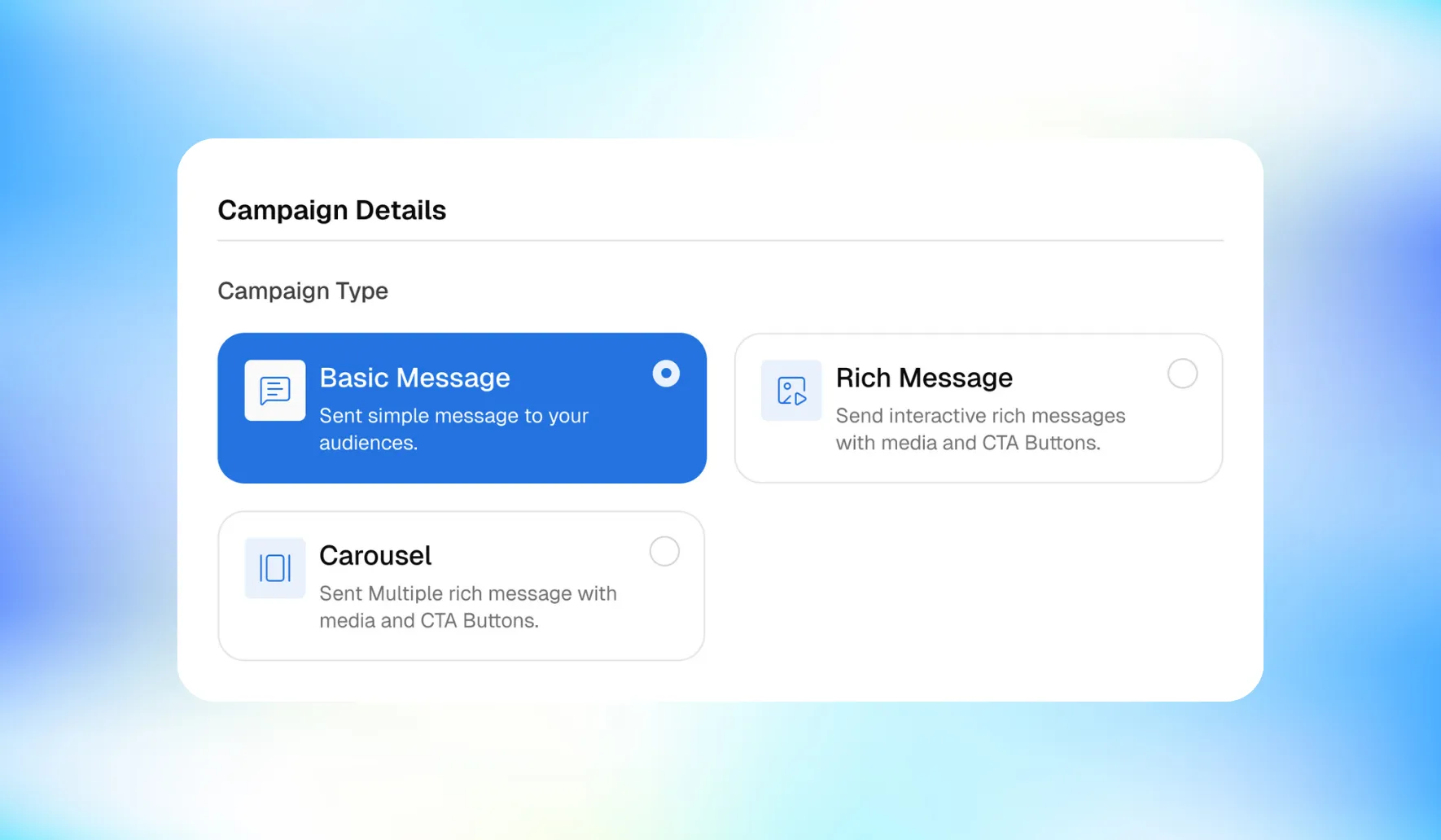
Choose Message Format

Select from text, image, video or carousel formats. Preview exactly how your message will appear on the recipient's device before sending.

RCS Feature Available  Multi-format support

RCS Feature Available  Real-time message preview

RCS Feature Available  Dynamic personalisation

Choose RCS Message Format on WhatsRCS
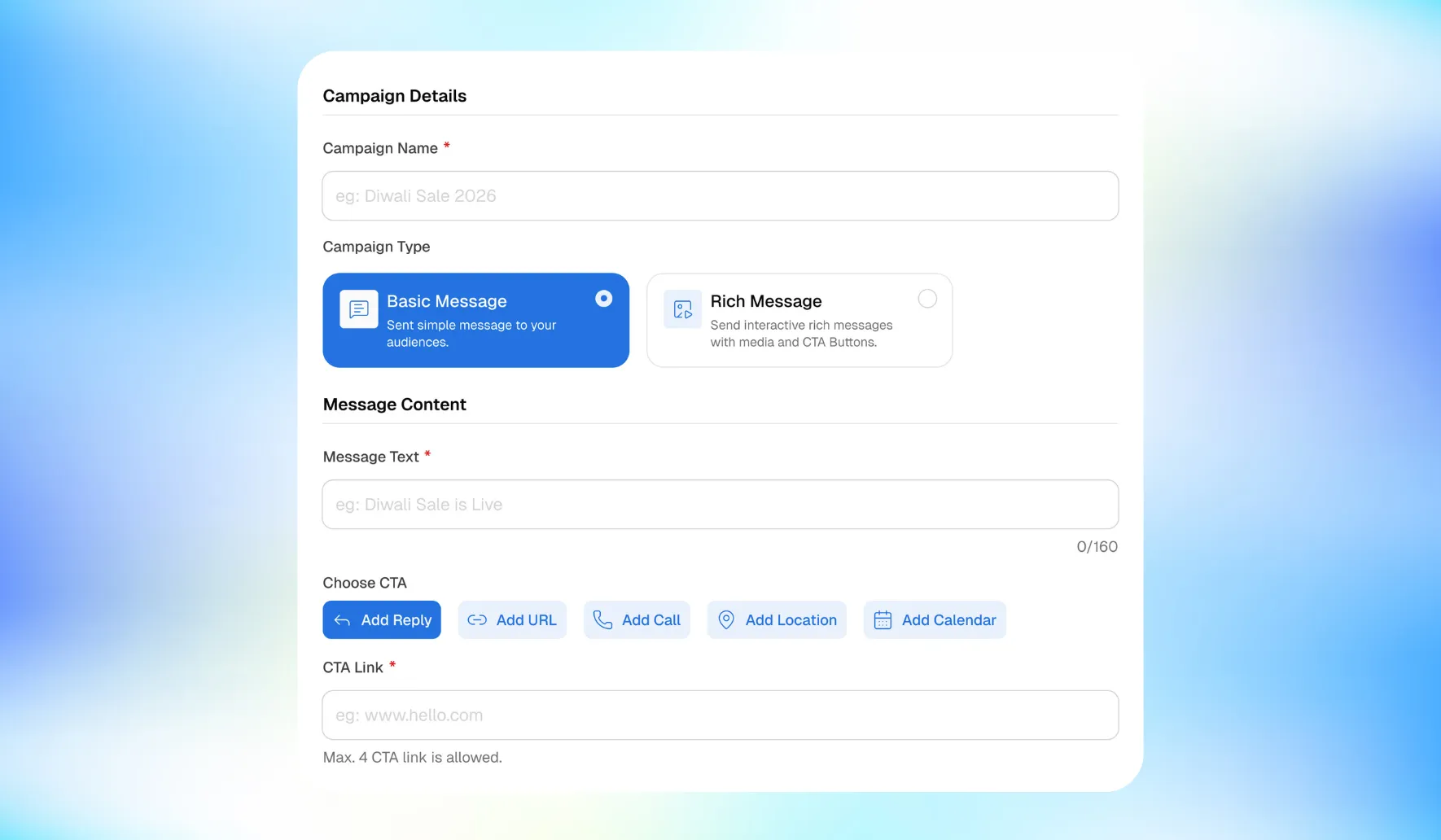
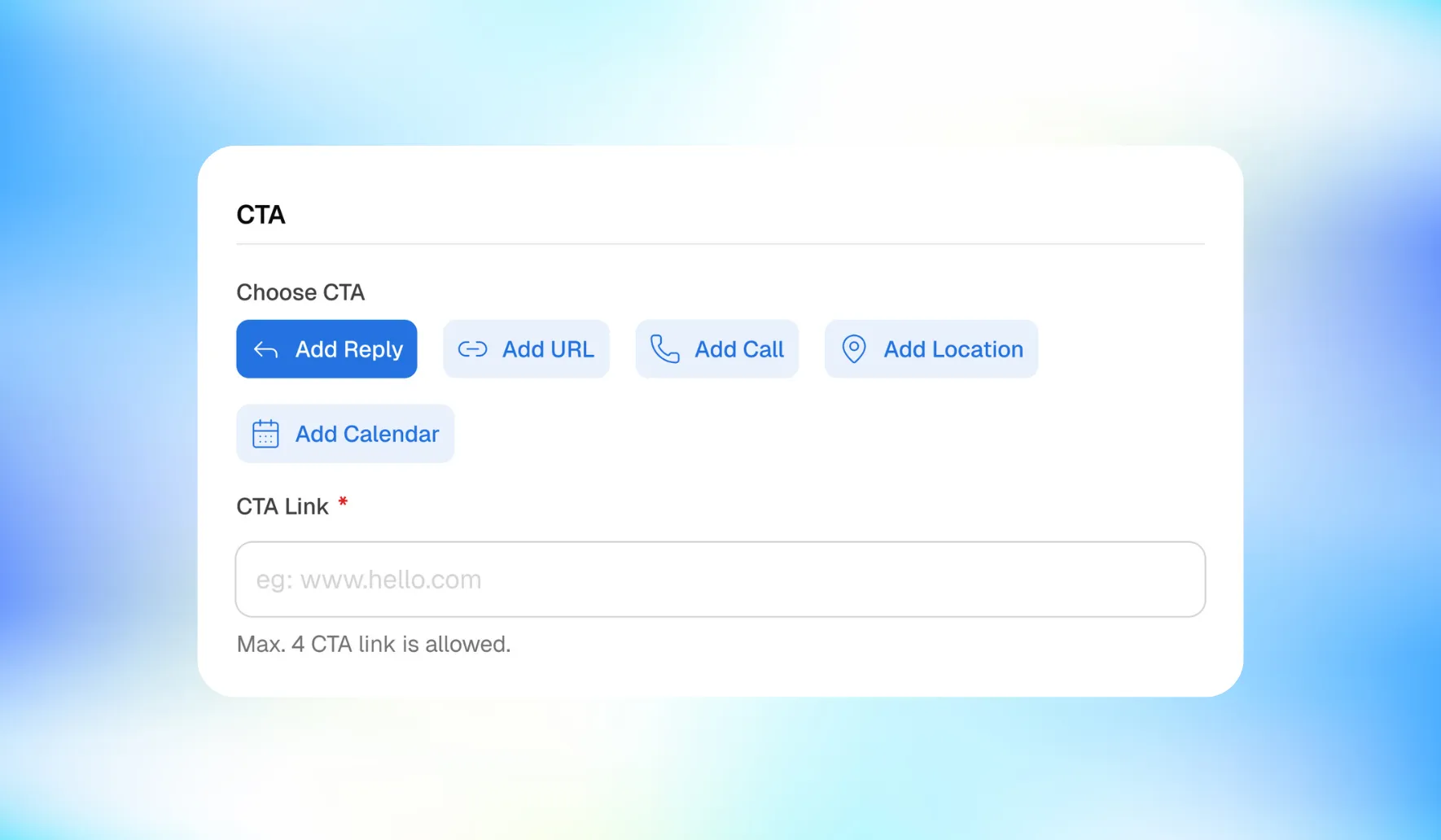
Add Call to Action Button to RCS Message
Step - 4

Add Call-To-Action

Add powerful interactive CTA buttons to guide your customers toward the desired action. From calling your team to shopping directly

RCS Feature Available  Up to 4 CTAs per message

RCS Feature Available  Reply Button Option

RCS Feature Available  Button Click Trackings

Step - 5

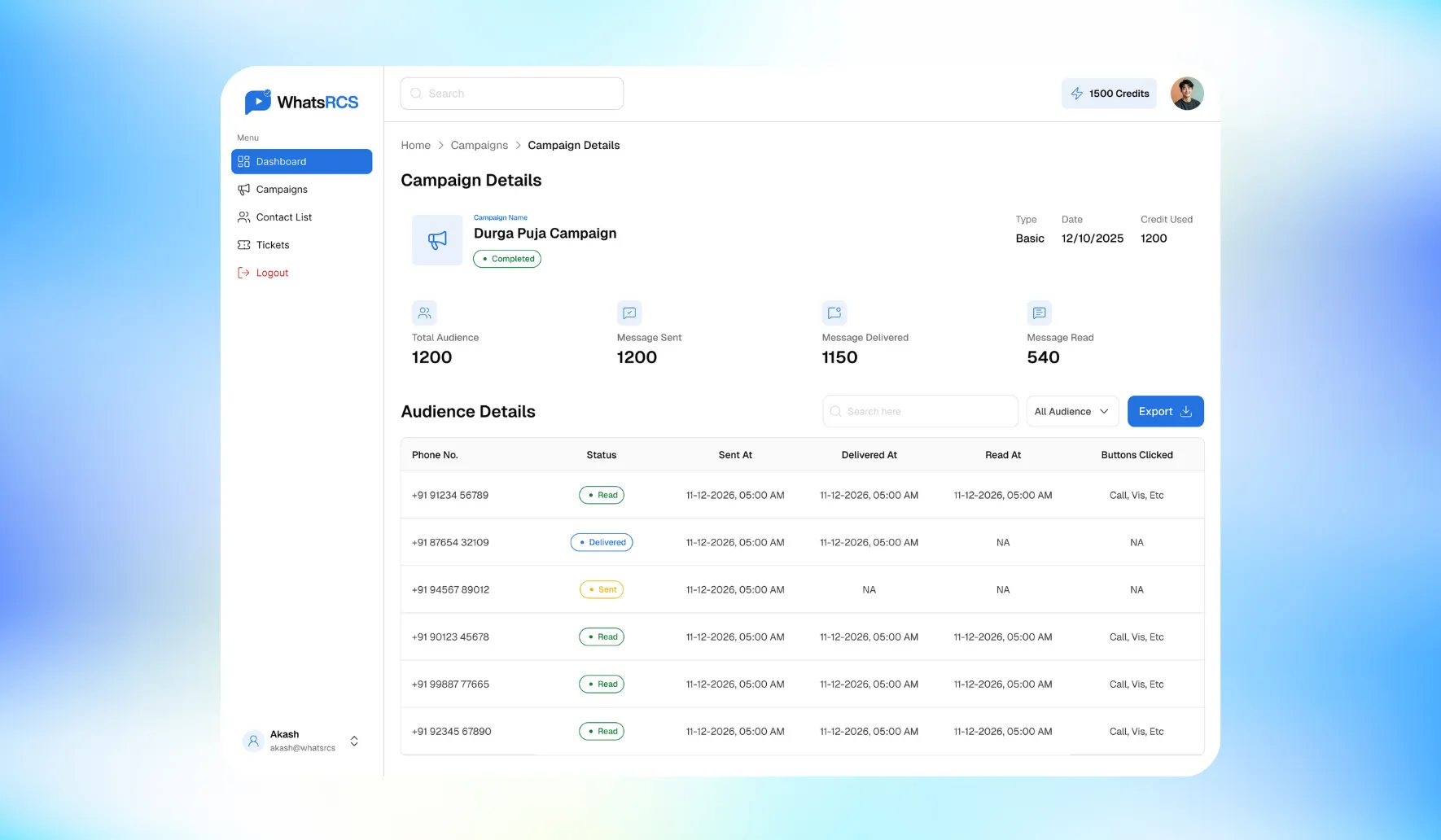
Track Performance

Monitor every campaign metric in real time from delivery to conversions. Get actionable insights to continuously improve your messaging strategy.

RCS Feature Available  Real-time dashboards

RCS Feature Available  Delivery & Read Status

RCS Feature Available  Campaign-wise Reports

Track RCS Campaign Performance on WhatsRCS
Businesses saving costs with RCS over WhatsApp

WhatsApp's high messaging costs make rich media communication unaffordable for most businesses, leading to missed omni-channel opportunities and lost revenue. RCS solves this by delivering the same rich media messaging capabilities at a cost close to SMS, enabling businesses of all sizes to seamlessly engage their customers with offers, updates and announcements to drive awareness, inquiries and sales growth.

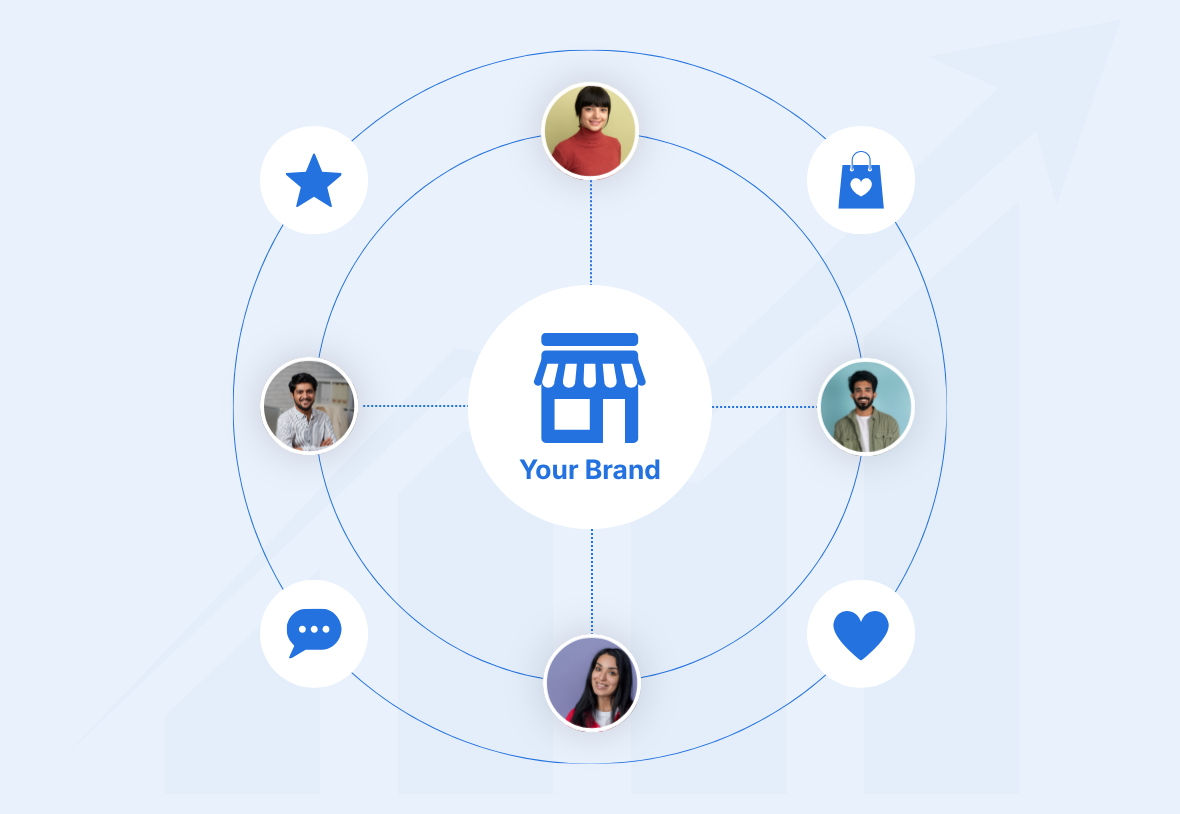
WhatsRCS will help your Brand grow by

Build Brand Loyalty and Recall with RCS Messaging
check
Building Stronger Customer Loyalty


check
Increasing Brand Recall


check
Establishing a Direct and Effective Communication Channel


check
Driving Sales through Targeted Customer Re-Engagement


Frequently Asked Questions (FAQs)

RCS stands for Rich Communication Services. Think of it as an upgraded version of SMS that lets businesses send images, videos, PDFs, and documents directly to a customer's default messaging inbox. It delivers the rich experience of WhatsApp but at roughly one-sixth of the cost.

RCS works over mobile data or Wi-Fi, similar to apps like WhatsApp. It does not work over a traditional cellular voice/SMS network. Both the sender's platform and the recipient's phone need to support RCS for messages to be delivered in rich format.

SMS uses a generic 6-digit sender ID with no way to verify who is actually sending the message. It also only supports plain text. RCS messages are sent from a verified brand profile that includes your business name, logo, verified tick, and contact details. You can also send images, videos, and interactive call-to-action buttons.

Both offer similar rich messaging features. The key difference is cost. Sending a promotional campaign on WhatsApp costs approximately Rs. 0.90 per message. On RCS, the same message can be sent for approximately Rs. 0.15 per message at decent volumes. For businesses running large-scale campaigns, this difference is significant.

There are three content formats:
A basic text message is plain text, similar to a regular SMS but with verified branding. A rich card combines an image or video with text and a call-to-action button in a single message. A carousel is a series of rich cards displayed side by side, letting customers swipe through multiple offers or products in one message.

Not immediately. Registering your business messaging profile (called an "Agent" or "Assistant") with Google takes approximately two weeks. Once approved, you can start sending campaigns right away through the WhatsRCS platform.

Yes. WhatsRCS is an authorised Google RBM (Rich Business Messaging) partner and also works with JBM (Jio Business Messaging), giving businesses access to RCS network in India

There are three categories. Promotional messages are used for offers, announcements, and marketing campaigns. Transactional messages cover appointment reminders, delivery updates, and greetings. OTP messages handle account logins and password resets.

Promotional messages are marketing-focused, meant to drive awareness and sales. Transactional messages are service-related updates that a customer expects to receive as part of an ongoing interaction. OTP messages are time-sensitive security codes for verifying identity. Each category has different use cases and, importantly, different messaging limits.

For promotional messages, limits are governed by a Reputation Score system managed by Google. There are three tiers:
Low Tier allows up to 2 messages per customer per month and a reach of up to 1 million unique users per month. Medium Tier allows up to 4 messages per customer per month and up to 25 million unique users per month. High Tier allows up to 8 messages per customer per month and up to 300 million unique users per month.
Transactional and OTP messages have no such limits.

Google evaluates your messaging agent daily based on how recipients respond to your messages. Positive signals such as message reads and replies help move your account to a higher tier. Negative signals such as spam reports or users blocking your messages push your account to a lower tier.

You get delivery reports covering sent status, delivered status, and read status. You also get data on which call-to-action button a customer clicked. This gives a clear picture of campaign performance so you can optimise future messaging.

For warm audiences (people already familiar with your brand), delivery rates currently sit between 40% and 60%, with open rates between 60% and 70%. For cold audiences with no prior brand familiarity, both rates will be lower. As more phones come with RCS enabled by default, delivery rates are expected to improve further.

On Android, RCS is widely supported and comes enabled by default on most modern devices. On iPhone, RCS support was introduced with iOS 18, so adoption among iPhone users is still growing. For now, RCS campaigns are most effective when targeting Android users, though iPhone reach will increase over time.

WhatsRCS is built on top of Google and Jio's messaging infrastructure. It provides a simple web portal where businesses can create text, rich card, or carousel messages, upload their customer contact list, and send campaigns without any technical setup. It removes the complexity of working directly with the underlying APIs.

Fill in your contact details on the WhatsRCS website. A representative will reach out within 24 hours on most occasions to collect the information needed to register your messaging agent. Once registration is complete (approximately two weeks), you can start sending RCS campaigns immediately.